Looking to learn how to use Xtream Codes on IPTV apps but not sure where to start? You’re in the right place. Xtream Codes is one of the easiest ways to log into IPTV apps and start streaming live TV, movies, and series.
In this beginner guide, we will show you exactly how to use Xtream Codes on IPTV apps step by step. Whether you are using IPTV Smarters Pro, Smart TV, Firestick, Android, or iPhone, this guide will help you set up your IPTV subscription quickly and easily.
Key Takeaways
- Xtream Codes is a simple way to log into IPTV apps using username, password, and server URL
- It is faster and easier than using M3U playlists
- Works on IPTV Smarters Pro, Smart TVs, Firestick, Android, and iOS
- Requires a valid IPTV subscription from a provider
- Provides organized categories like Live TV, Movies, and Series
What is Xtream Codes in IPTV?
Xtream Codes is a login system used by many IPTV providers to give users easy access to their subscription. Instead of using long M3U links, Xtream Codes allows you to log in with a username, password, and server URL.
When you use Xtream Codes on IPTV apps, the app automatically loads your channels, movies, and series in an organized way. This makes it easier to navigate and start streaming without complicated setup.
Learning how to use Xtream Codes on IPTV apps is important because it is the fastest and most user-friendly way to access IPTV services.
You can check your internet speed using Speedtest by Ookla.
How to Use Xtream Codes on IPTV Apps (Step-by-Step)
Follow these simple steps to learn how to use Xtream Codes on IPTV apps:
- Open Your IPTV App
Launch an IPTV app like IPTV Smarters Pro on your device. - Accept Terms & Conditions
If prompted, accept the terms to continue. - Select “Login with Xtream Codes API”
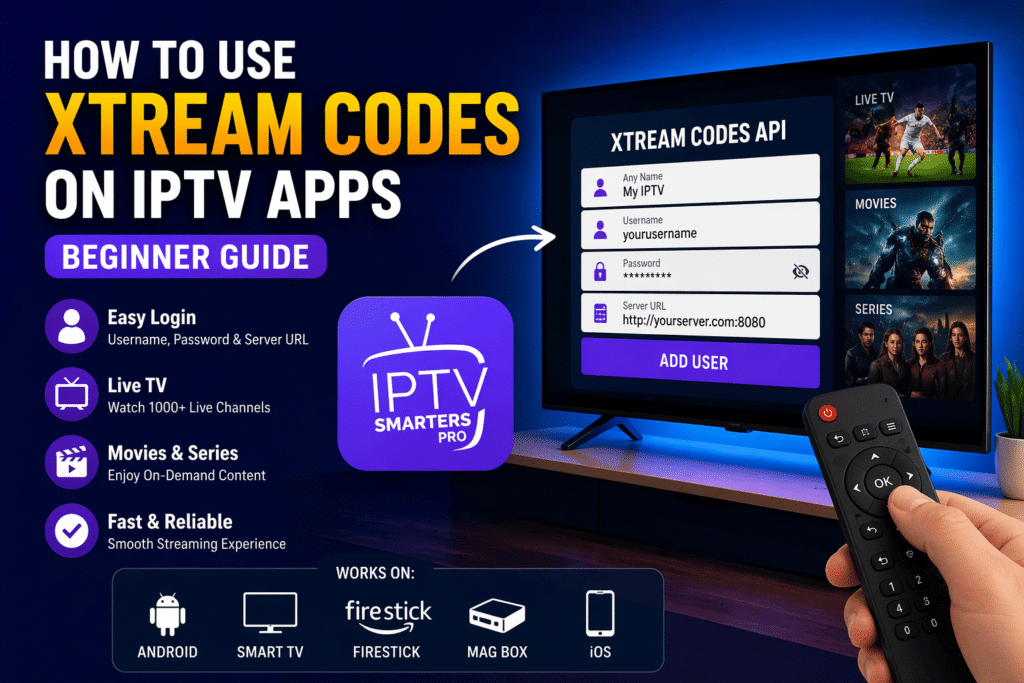
Choose the Xtream Codes login option from the menu. - Enter Your Login Details
Fill in the following information provided by your IPTV service:
- Username
- Password
- Server URL (Host)
- Click “Add User” or “Login”
After entering your details, click the login button. - Wait for Content to Load
The app will automatically load your channels, movies, and series. - Start Streaming
You can now browse categories and start watching your favorite content.
If you are new to IPTV, check our guide on How to Get IPTV Subscription.
Xtream Codes vs M3U Playlist – Which is Better?
When learning how to use Xtream Codes on IPTV apps, many users wonder how it compares to M3U playlists. Both methods are used to access IPTV content, but they work differently.
Xtream Codes is easier to use because it only requires a username, password, and server URL. It automatically organizes channels into categories like Live TV, Movies, and Series.
On the other hand, M3U playlists require you to paste a long URL, and sometimes the content may not be well organized.
Here is a quick comparison:
- Xtream Codes – Easy login, automatic organization, faster setup
- M3U Playlist – Manual setup, longer URLs, less organized
Overall, Xtream Codes is the best option for beginners because it is simple, fast, and user-friendly.
Common Issues When Using Xtream Codes on IPTV Apps
Sometimes users may face issues when trying to use Xtream Codes on IPTV apps. Here are the most common problems and how to fix them:
- Incorrect Login Details – Double-check your username, password, and server URL
- Server Not Loading – Your IPTV provider server may be down or overloaded
- App Not Working – Restart the app or reinstall it
- Channels Not Showing – Refresh or re-login to reload content
Fixing these issues will help you use Xtream Codes on IPTV apps smoothly without interruptions.
Tips for Better IPTV Streaming Experience
To get the best experience when using Xtream Codes on IPTV apps, follow these tips:
- Use a high-speed internet connection (at least 15 Mbps for HD)
- Use a wired connection instead of WiFi when possible
- Keep your IPTV app updated
- Avoid using too many apps at the same time
- Choose a reliable IPTV provider
These tips will improve your streaming quality and reduce buffering issues.
Conclusion
Learning how to use Xtream Codes on IPTV apps is one of the easiest ways to access IPTV services. With just a few simple steps, you can log in, load your channels, and start streaming instantly.
Xtream Codes offers a fast and user-friendly setup compared to other methods like M3U playlists. By following this guide, you can enjoy a smooth and organized IPTV experience on any device.
FAQ – Xtream Codes IPTV
How do I use Xtream Codes on IPTV apps?
You can use Xtream Codes by selecting the login option in your IPTV app and entering your username, password, and server URL.
Is Xtream Codes better than M3U playlist?
Yes, Xtream Codes is easier to use because it provides automatic channel organization and faster setup compared to M3U playlists.
What apps support Xtream Codes?
Apps like IPTV Smarters Pro, TiviMate, and XCIPTV support Xtream Codes login.
Why is Xtream Codes not working?
Xtream Codes may not work due to incorrect login details, server issues, or an unstable internet connection.